Run scripts locally on the server

I wish to run a script that creates QR codes. Would it be possible to run a script locally on the server? Or should I build an API?

import qrcode

qr = qrcode.QRCode(
    version=1,
    error_correction=qrcode.constants.ERROR_CORRECT_L,
    box_size=4,
    border=4,
)

qr.add_data("1234567890")
qr.make(fit=True)

img = qr.make_image(fill_color="black", back_color="white")

# Set DPI for accurate print size
img.info['dpi'] = (300, 300)

img.show()

We don’t support running custom scripts on the server. The preferred way to solve these kind of problems is by calling a webservice from a connector within your project and feeding the results back to the application.

Maybe you can find an existing webservice that creates QR code images. Or build one yourself :slight_smile:

Another possible solution is to add a custom client to your project where you can write logic for QR code generation in TypeScript/JavaScript which then runs client-side. It is suitable if you only want to show the codes on screen, without storing them in the application as a file. Building such a custom client is an advanced topic that will require some support from our team.

1 Like

It is possible to generate barcodes or qr codes in the generated handheld client.

For example the following small annotations.alan file.

(
	handheld: 'items' collection (
		path: .'items'[]
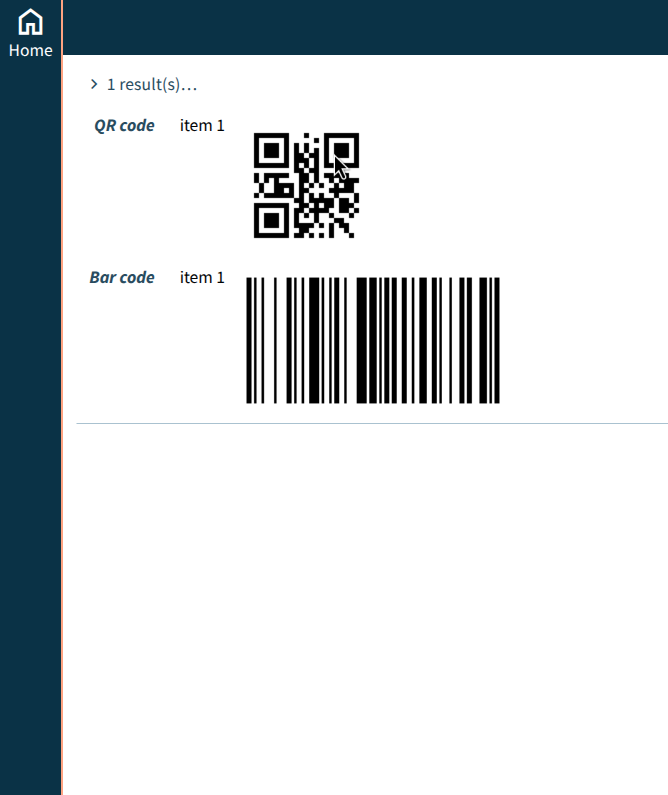
		'QR code': .'item' @qrcode
		'Bar code': .'item' @barcode: CODE128
		sort: .'normal text property' descending
	)
)

Results in the following generated handheld view:

Does that cover your use case?

2 Likes

Thank you! This function works very well to visualise the data in QR. After, I wish to be able to print the QR (or bar code), so I would need to be able to download it as a file. Any solutions for this?

You can try to print the page. It will include the qr or bar code.

If you want to do this regularly you might consider creating a HTML report that uses a javascript library to do this. For example JSBarcode.

1 Like