Hi all,
(application model: 108)
I am building PPWR (EU packaging regulation) compliance in our ERP. A simplified version of the model:
  'PPWR Documents': collection ['ID'] {           // supplier declarations, test reports, ...
      'ID': text
      'Components': collection ['Component'] {    // the components this document tells us something about
          'Component': text -> ^ ^ .'Packaging Components'[]
      }
  }
  'Packaging Components': collection ['Name'] {
      'Name': text
      'Food Contact': stategroup (
          'No' { }
          'Yes' {
              // the document that proves this fact
              'Evidence': text -> ^ ^ .'PPWR Documents'[] as $
                  where 'Reading' -> $ .'Components'[ ^ ]    // only documents that mention THIS component
                  where 'Proof' ~> 'Reading'.'Food Contact Declaration'?'Available' //only documents that mention Food Contact
          }
      )
  }
So within a component we point at the PPWR Document that proves (or disproves) compliance. A user should only be able to choose a document that actually says something about this component.
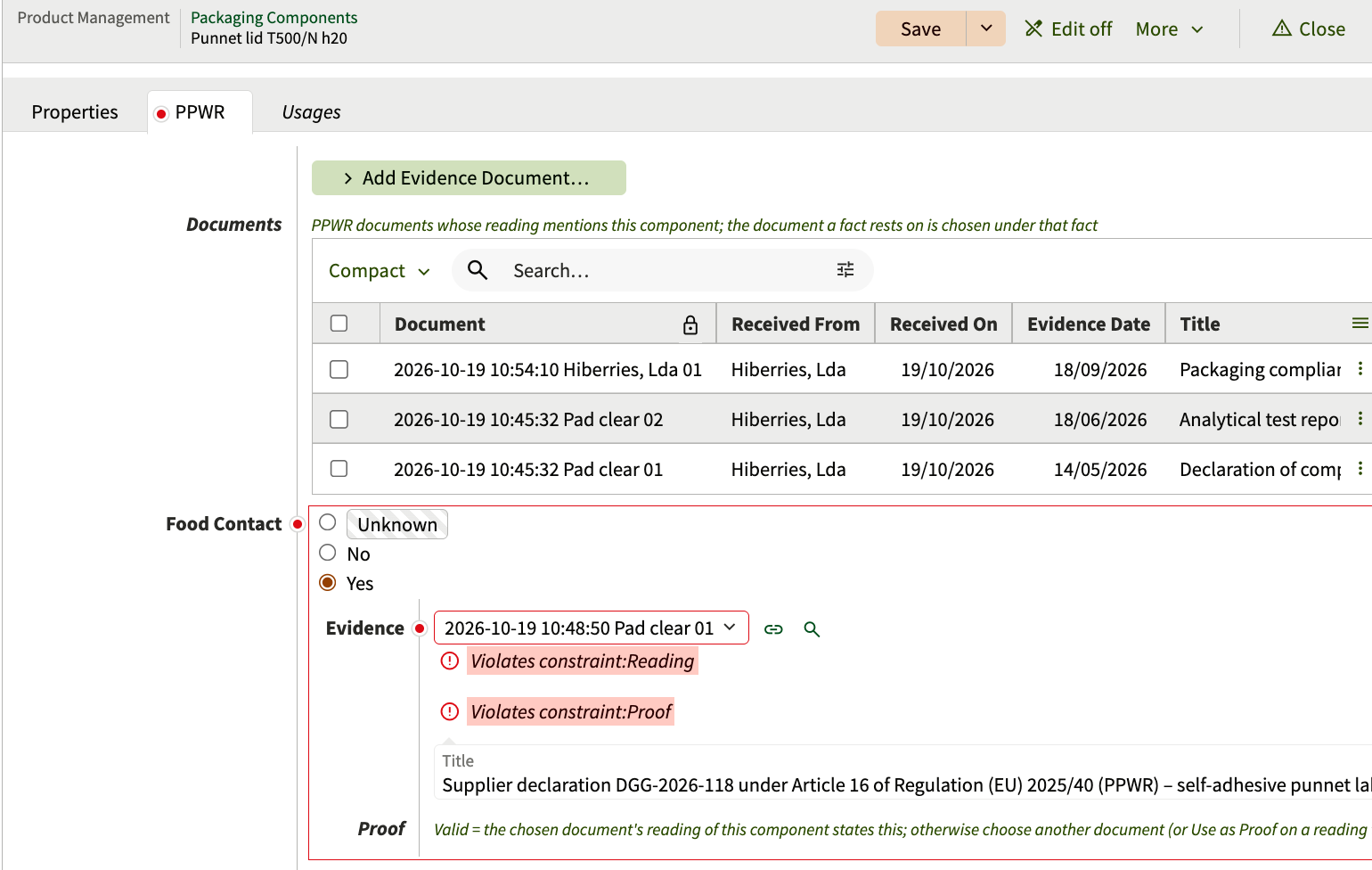
What happens in the generated web client (see screenshot): the Evidence picker lists every PPWR Document, including ones that have no row for this component. If I pick one, the field gets “Violates constraint: Reading” and the form cannot be saved. So the rule does validate, but the picker still offers options that can never be saved.
Sidenote: within the screenshot you’ll notice a Documents union colleciton using an inverse reference-set to list all Documents that use THIS component. This is a workaround I use more often, but I am not sure whether it is best practise.
My question therefore:
Is there a way to make the picker offer only the entries that satisfy the where rules?
Thanks!