In a production generator, I wish to display a pivot table with the following:
To visualise what goes where at our pack house, a pivot table should display Service Orders, with rows being the Pallet References (Order Lines within Purchase Orders, this indicates WHAT), and columns being be the Destinations (Delivery Addresses per Customer, this indicates WHERE). The content of the cells will be Total Colli.
I am currently getting stuck on the fact that I created a flatten ('Purchase Orders'* .’Order Lines'*), which results in a state constraint violation for ‘has reference’. Any way to work around this? Or should I restructure the application where ‘Pallets’ is a collection on its own?
application.alan

//Within 'Calender'.'Weeks'[] .'Days'[]

'Service Orders': reference-set -> downstream ^ ^ ^ ^ .'Logistics'.'Service Orders'* .'Week found'?'Yes'.'Day found'?'Yes' = inverse >'Day'
'Customers': collection ['Relation'] = union (
    '' = <'Service Orders'* ^ ^ .'Sales Order'&'Relation'
) @small {
    'Relation': text -> downstream ^ ^ ^ ^ ^ .'Relationship Management'.'Companies'[] = key
    'Service Orders': reference-set -> downstream ^ ^ ^ ^ ^ .'Logistics'.'Service Orders'* = branch ''
    'Delivery Addresses': collection ['Delivery Address'] = union (
        '' = <'Service Orders'* .'Sales Order'&'Delivery Address'
    ) @small {
        'Delivery Address': text -> ^ >'Relation'.'Addresses'[] = key
        'Service Orders': reference-set -> downstream ^ ^ ^ ^ ^ ^ .'Logistics'.'Service Orders'* = branch ''
    }
}
'Destinations': collection ['Destination'] = flatten (
    '' = .'Customers'* .'Delivery Addresses'* as $ (
        'Customer' = $ ^
        'Delivery Address' = $ .'Delivery Address'
    )
) join : {
    'Destination': text = key
    'Customer': text -> ^ .'Customers'[] = parameter
    'Delivery Address': text ~> >'Customer'.'Delivery Addresses'[] = parameter
    'Purchase Orders': collection ['Purchase Order'] = union (
        '' = >'Delivery Address'<'Service Orders'* .'Purchase'&'Purchase Order'
    ) @hidden {
        'Purchase Order': text -> downstream ^ ^ ^ ^ ^ ^ .'Procurement'.'Purchase Orders'[] = key
        'Service Orders': reference-set -> downstream ^ ^ ^ ^ ^ ^ .'Logistics'.'Service Orders'* = branch ''
        'Order Lines': collection ['Order Line'] = union (
            '' = <'Service Orders'* .'Purchase'&'Purchase Order Line'
        ) {
            'Order Line': text -> ^ >'Purchase Order'.'Order Lines'[] = key
        }
    }
    'Pallets': collection ['POL'] = flatten (
        '' = .'Purchase Orders'* .'Order Lines'* as $ (
            'Purchase Order' = $ ^
            'Order Line' = $ .'Order Line'
        )
    ) join : {
        'POL': text = key
        'Purchase Order': text -> ^ .'Purchase Orders'[] = parameter
        'Order Line': text ~> >'Purchase Order'.'Order Lines'[] = parameter
    }
}
annotations.alan

handheld: 'Split' details (
   title: 'Split Today'
   -> inline view: .'Admin'.'Configuration'>'Current Weekday' pivot (
      columns: .'Destinations': 'Delivery Address'
      label: 'Destination'
      cells: .'Pallets': 'Order Line' //this is not possible due to a state constraint violation for ‘has reference’
      label: 'Pallet'
      label: '?'
   )
)
Hi Martinique,
You’ll have to make sure that the ‘cells’ collection is a collection with a key to a collection next to the ‘columns’ collection (you could call it ‘rows’). That way the system knows which ‘cells’ need to be put in the same row.
So, you will have to put the ‘flattened’ Purchase Orders / Pallets collection as the ‘rows’ collection outside of the Destinations collection and then have the ‘cells’ collection point to those rows.
Also, good to know: you can have an inline view: ‘[view name]’ that points to a view under the ‘cells’ collection, it will show up in each cell.
Rows: collection

Columns: collection
   Cells collection -> ^ .'Rows'[]
      // with in the handheld client annotations:
      // handheld: [view name] details ( )
1 Like
Thank you Rick, that helped a lot.
The application now looks as follows.
'Pallets': collection ['POL'] = flatten (
    '' = .'Purchase Orders Service'* .'Order Lines'* as $ (
        'Purchase Order' = $ ^
        'Order Line' = $ .'Order Line'
        'Pallet Reference' = $ >'Order Line'.'Pallet Reference'
    )
) join : {
    'POL': text = key
    'Purchase Order': text -> ^ .'Purchase Orders Service'[] = parameter
    'Order Line': text ~> >'Purchase Order'.'Order Lines'[] = parameter
    'Pallet Reference': text = parameter
}
'Destinations': collection ['Destination'] = flatten (
    '' = .'Customers'* .'Delivery Addresses'* as $ (
        'Customer' = $ ^
        'Delivery Address' = $ .'Delivery Address'
    )
) join : {
    'Destination': text = key
    'Customer': text -> ^ .'Customers'[] = parameter
    'Delivery Address': text ~> >'Customer'.'Delivery Addresses'[] = parameter
    'Purchase Orders': collection ['Purchase Order'] = union (
        '' = >'Delivery Address'<'Service Orders'* .'Purchase'&'Purchase Order'
    ) @hidden {
        'Purchase Order': text -> downstream ^ ^ ^ ^ ^ ^ .'Procurement'.'Purchase Orders'[] = key
        'Service Orders': reference-set -> downstream ^ ^ ^ ^ ^ ^ .'Logistics'.'Service Orders'* = branch ''
        'Order Lines': collection ['Order Line'] = union (
            '' = <'Service Orders'* .'Purchase'&'Purchase Order Line'
        ) {
            'Order Line': text -> ^ >'Purchase Order'.'Order Lines'[] = key
            'Service Orders': reference-set -> downstream ^ ^ ^ ^ ^ ^ ^ .'Logistics'.'Service Orders'* = branch ''
        }
    }
    'Pallets': collection ['POL'] = ^ .'Pallets'* {
        'Purchase Order': text ~> ^ .'Purchase Orders'[] = >'POL'.'Purchase Order'
        'Order Line': text ~> >'Purchase Order'.'Order Lines'[] = >'POL'.'Order Line'
        'Match': stategroup = switch >'Order Line' (
            | none => 'No' ( )
            | node as $ => 'Yes' (
                'Order Line' = $
            )
        ) (
            'No' { }
            'Yes' {
                'Order Line': text -> ^ >'Purchase Order'.'Order Lines'[] = parameter
                'Total Output': number 'colli' = sum >'Order Line'<'Service Orders'* .'Total Output Colli'
                'Tasks': collection ['Task'] = union (
                    '' = >'Order Line'<'Service Orders'* .'Tasks'* .'Task'&'Main'
                ) @small {
                    'Task': text -> ^ ^ ^ ^ ^ ^ ^ .'Configuration'.'Operations'[] = key
                }
            }
        )
        'POL': text -> ^ ^ .'Pallets'[] = key
    }
}
I am now figuring out whether it is possible to display multiple display a number and a collection at the same time within the cell.
This works to display the number in the cell:
handheld: 'Split' details (
    title: icon:"arrow_split", 'Split Today'
    -> inline view: .'Admin'.'Configuration'>'Current Weekday' pivot (
        columns: .'Destinations': 'Delivery Address'
        label: .'Delivery Address'
        cells: .'Pallets': 'Pallet Reference'
        label: .'Pallet Reference'
        label: .'Match'?'Yes'.'Total Output'
    )
)
And this works to display a collection in the cell:
handheld: 'Split' details (
    title: icon:"arrow_split", 'Split Today'
    -> inline view: .'Admin'.'Configuration'>'Current Weekday' pivot (
        columns: .'Destinations': 'Delivery Address'
        label: .'Delivery Address'
        cells: .'Pallets': 'Pallet Reference'
        label: .'Pallet Reference'
        inline view: details (
            -> inline view: .'Match'?'Yes' collection (
                path: .'Tasks'[] @layout: tabular
                'Task': .'Task'
            )
        )
    )
)
I am looking for syntax that enables both. Something like this:
handheld: 'Split' details (
    title: icon:"arrow_split", 'Split Today'
    -> inline view: .'Admin'.'Configuration'>'Current Weekday' pivot (
        columns: .'Destinations': 'Delivery Address'
        label: .'Delivery Address'
        cells: .'Pallets': 'Pallet Reference'
        label: .'Pallet Reference'
        inline view: details (
            -> inline view: .'Match'?'Yes' collection (
                path: .'Tasks'[] @layout: tabular
                'Task': .'Task'
            )
            -> label: .'Match'?'Yes''Total Output'  // -> does not work since only text as a reference is allowed.
        )
    )
)
Is this possible? Any tips? Thank you in advance!
Isn’t this how you would write that?
 inline view: details (
      'Total Output': .'Match'?'Yes'.'Total Output'
      -> inline view: .'Match'?'Yes' collection (
          path: .'Tasks'[] @layout: tabular
          'Task': .'Task'
      )

  )
1 Like
Thank you Rick!
Looking back at the documentation I see where I made my mistake. Initially I placed my Total Output after the inline view. Now I learned the sequence in which the syntax is placed is very important.
My previously attemted syntax erroneously:
inline view: details (
   -> inline view: .'Match'?'Yes' collection (
   path: .'Tasks'[] @layout: tabular
   'Task': .'Task'
   )
   'Total Output': .'Match'?'Yes'.'Total Output' // -> should be before the inline view.
)
Corresponding documentation:
1 Like
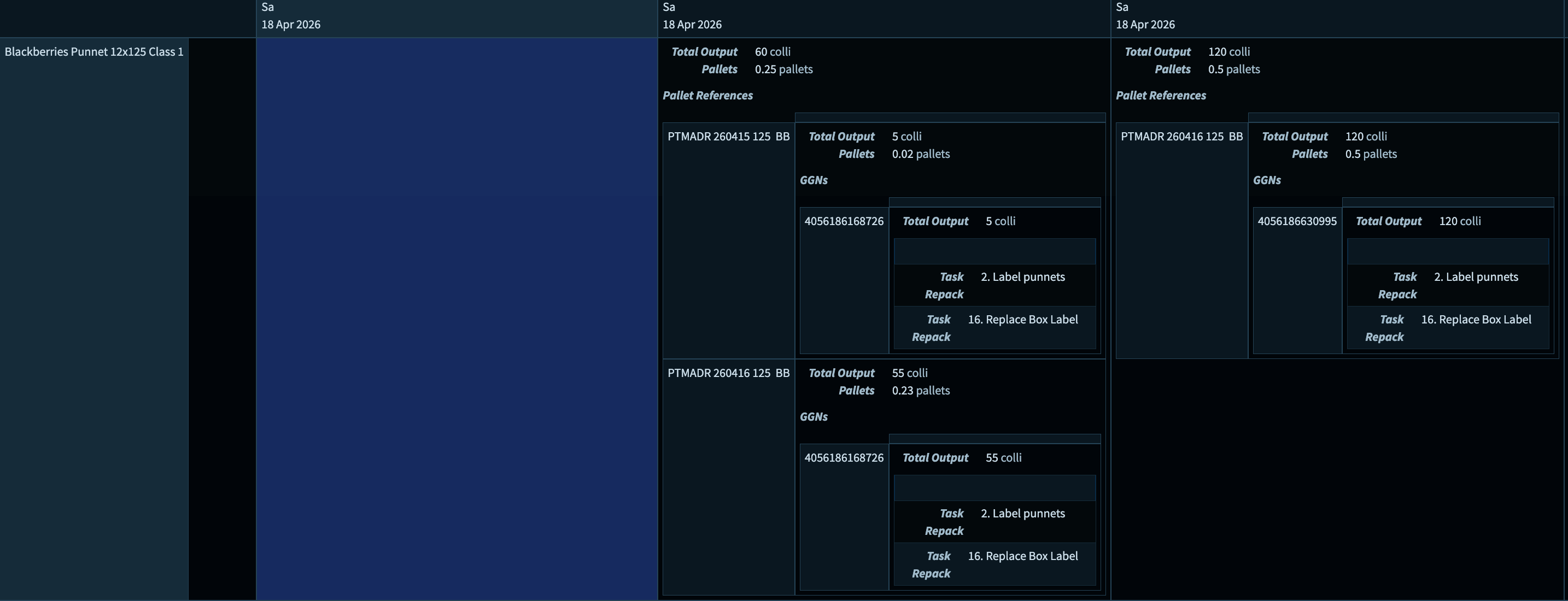
My goal is to visualize all tasks of today within one overview.
Because pivot view allows → inline view, I transformed collections into pivot tables with an empty collection as the column.
Application.alan
'Empty': collection ['Empty'] = flatten (
	'' = ( )
) join : {
	'Empty': text = key
	'Pallet References': collection ['Pallet Reference'] = ^ .'Pallet References'* {
		'Pallet Reference': text -> downstream ^ ^ .'Pallet References'[] = key
	}
}
Annotation.alan
handheld: 'Split' details (
	title: icon:"arrow_split", 'Split Today'
	-> inline view: .'Admin'.'Configuration'>'Current Weekday' pivot (
		@crosshair @grid columns: .'Destinations 2': 'Destination' label: .'Delivery Address', >'Day'>'Day'>'Weekdag'.'Dagnaam', >'Day'>'Day'>'Dag van de maand'.'Datum' cells: .'Products': 'Product' label: .'Kind', ' ', .'Colli Type', ' ', .'Class' inline view: .'Match'?'Yes' details (
			'Total Output': .'Total Output'
			'Pallets': .'Pallets'
			-> label: 'Pallet References'
			-> inline view: pivot (
				columns: .'Empty': 'Empty' label: '' cells: .'Pallet References': 'Pallet Reference' label: .'Pallet Reference' inline view: details (
					'Total Output': >'Pallet Reference'.'Total Output'
					'Pallets': >'Pallet Reference'.'Pallets'
					-> label: 'GGNs'
					-> inline view: >'Pallet Reference' pivot (
						columns: .'Empty': 'Empty' label: '' cells: .'GGNs': 'GGN' label: .'GGN' inline view: details (
							'Total Output': >'GGN'.'Total Output'
							-> inline view: >'GGN' collection (
								path: .'Tasks'[] @no-header @layout: tabular
								'Task': .'Task'
								'Repack': .'Repack'?'Yes'.'Total Purchased Input Colli'
							)
						)
					)
				)
			)
		)
	)
)
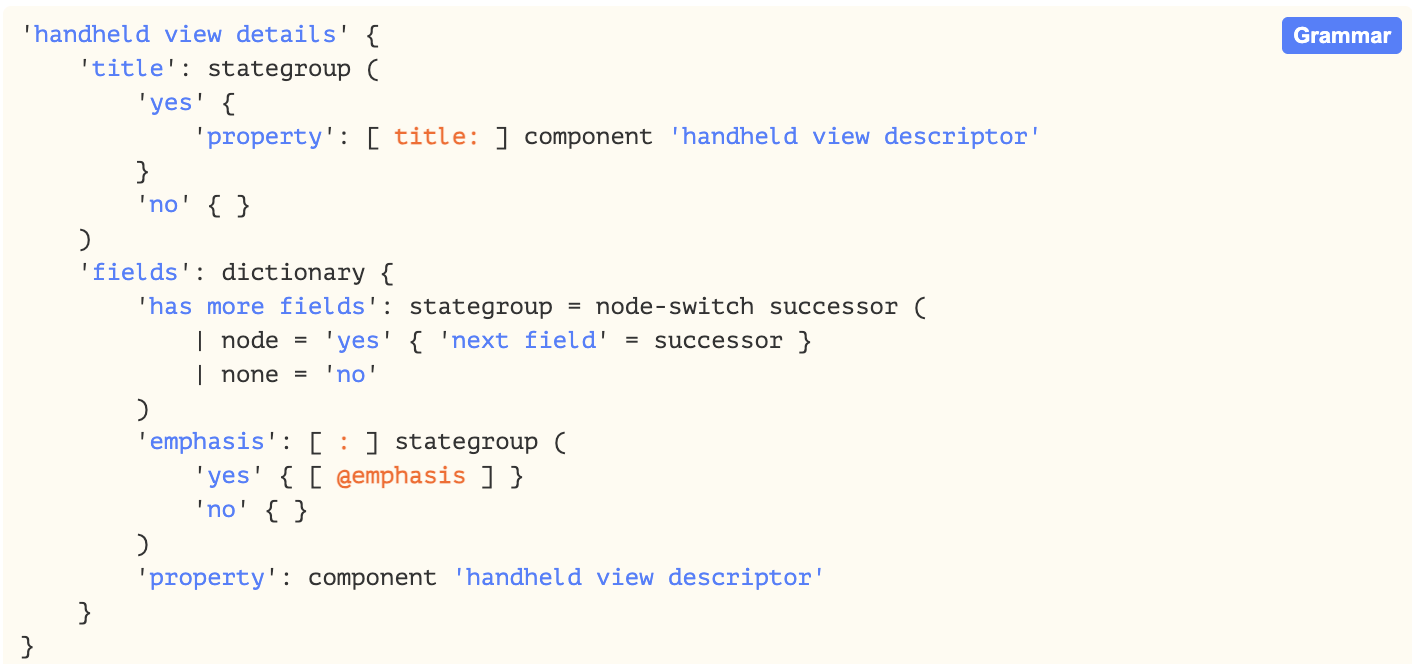
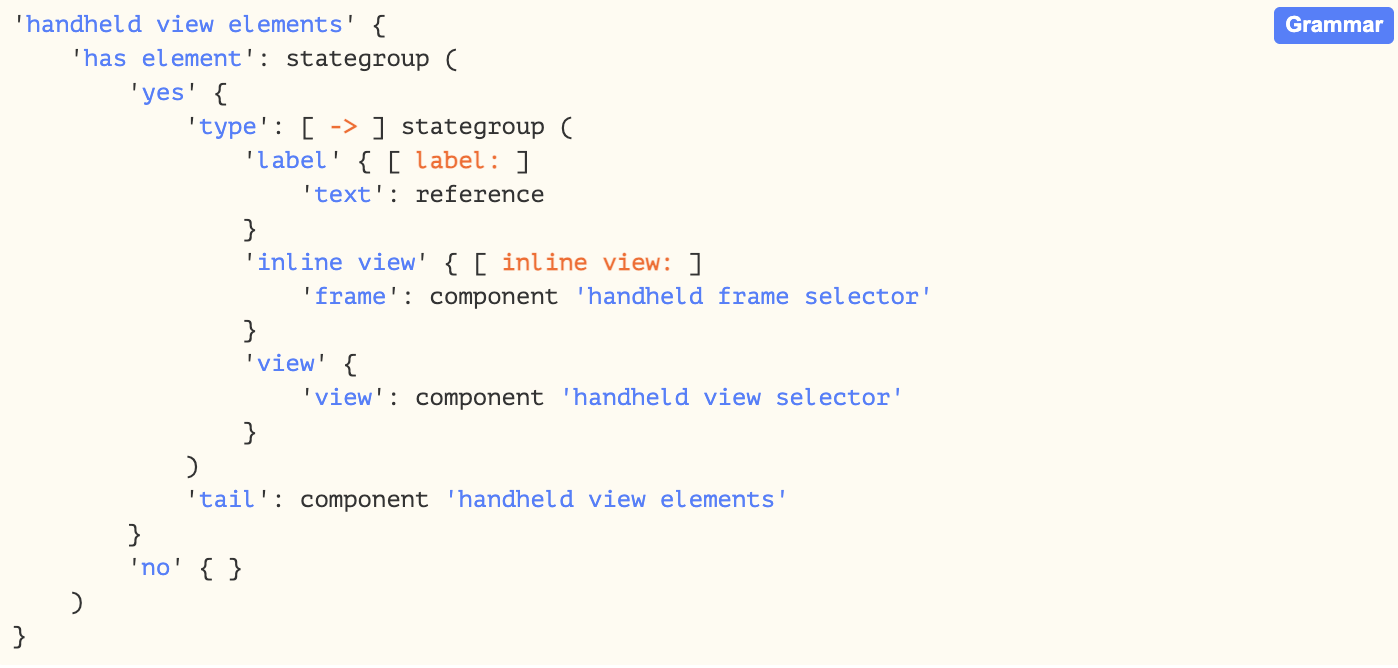
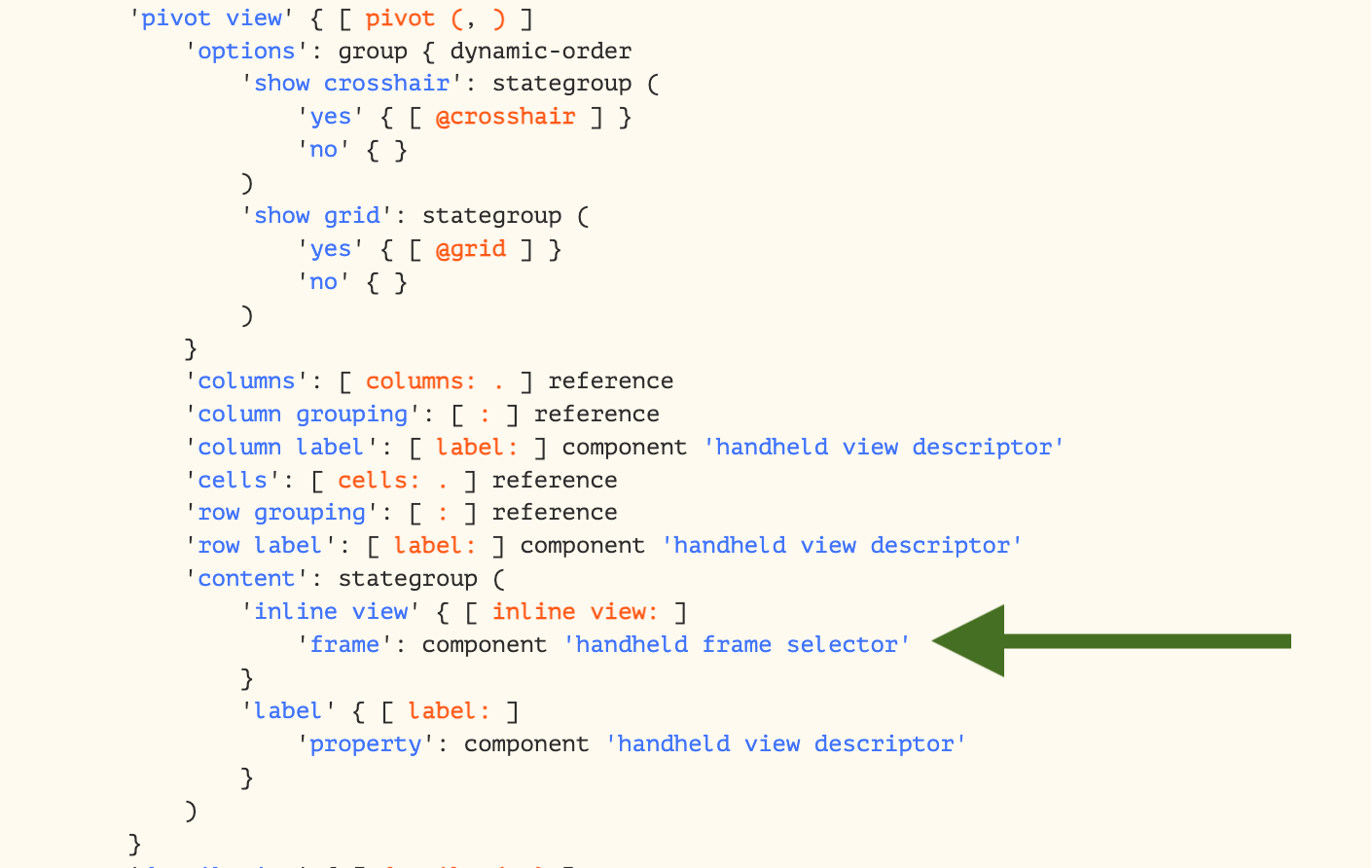
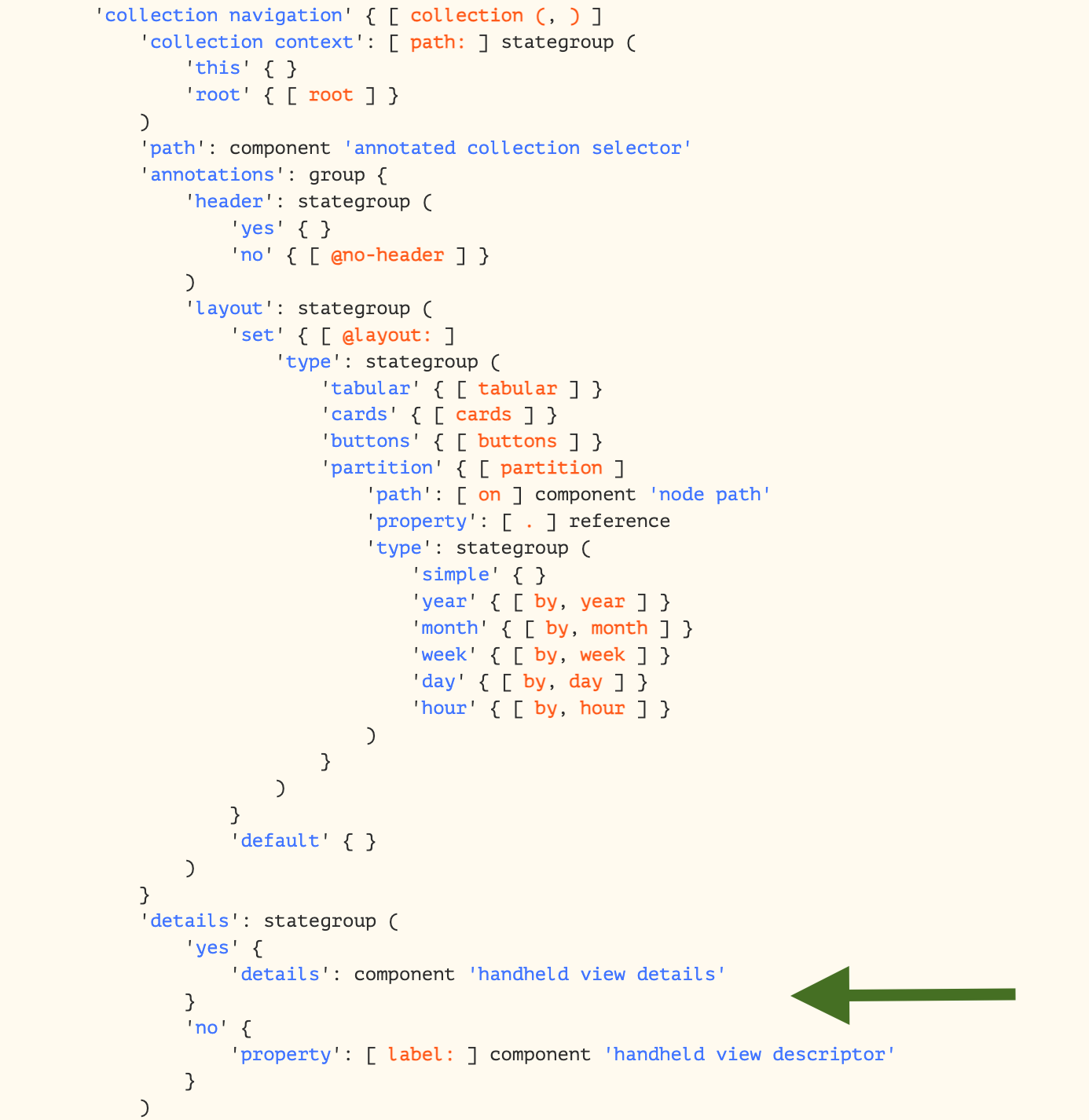
My question is, to reach my goal, is it possible to reach 'handheld frame selecter' from within a collection? If not would it be possible to add inline view: to the details of the collection? Or is that asking a bit too much?
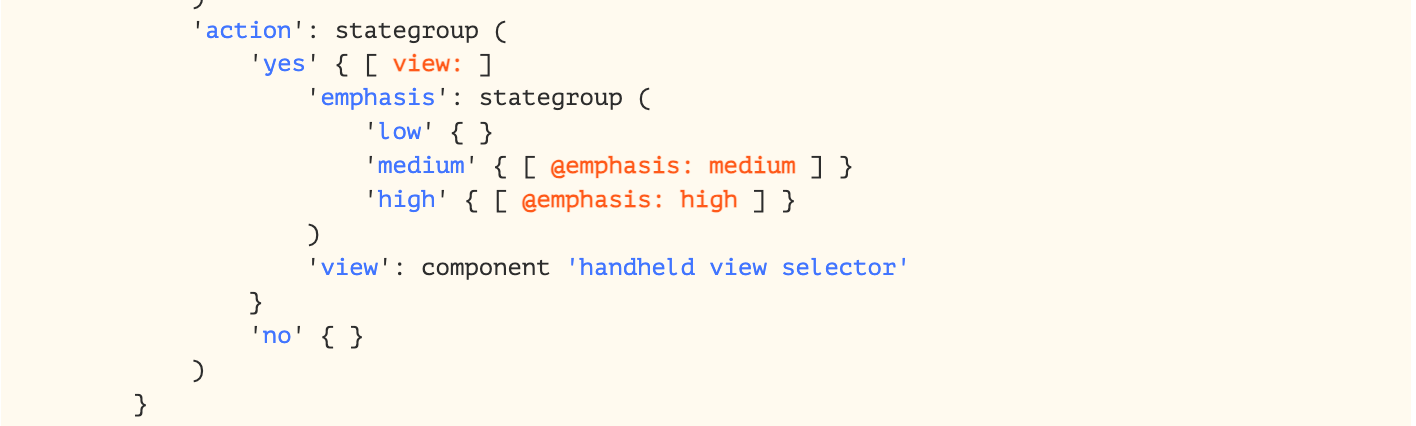
I do understand I can reach 'handheld frame selecter'via 'handheld view selector' by adding an action using view: within the collection. However, this requires the user to enter the collection first to view another collection, where I would like that other collection to be viewed inline of the collection.
Thank you in advance for thinking along!
This does not seem to be possible. We’re rethinking the way we provide the handheld annotations to be more flexible. Stay tuned for updates!
1 Like
Nice 
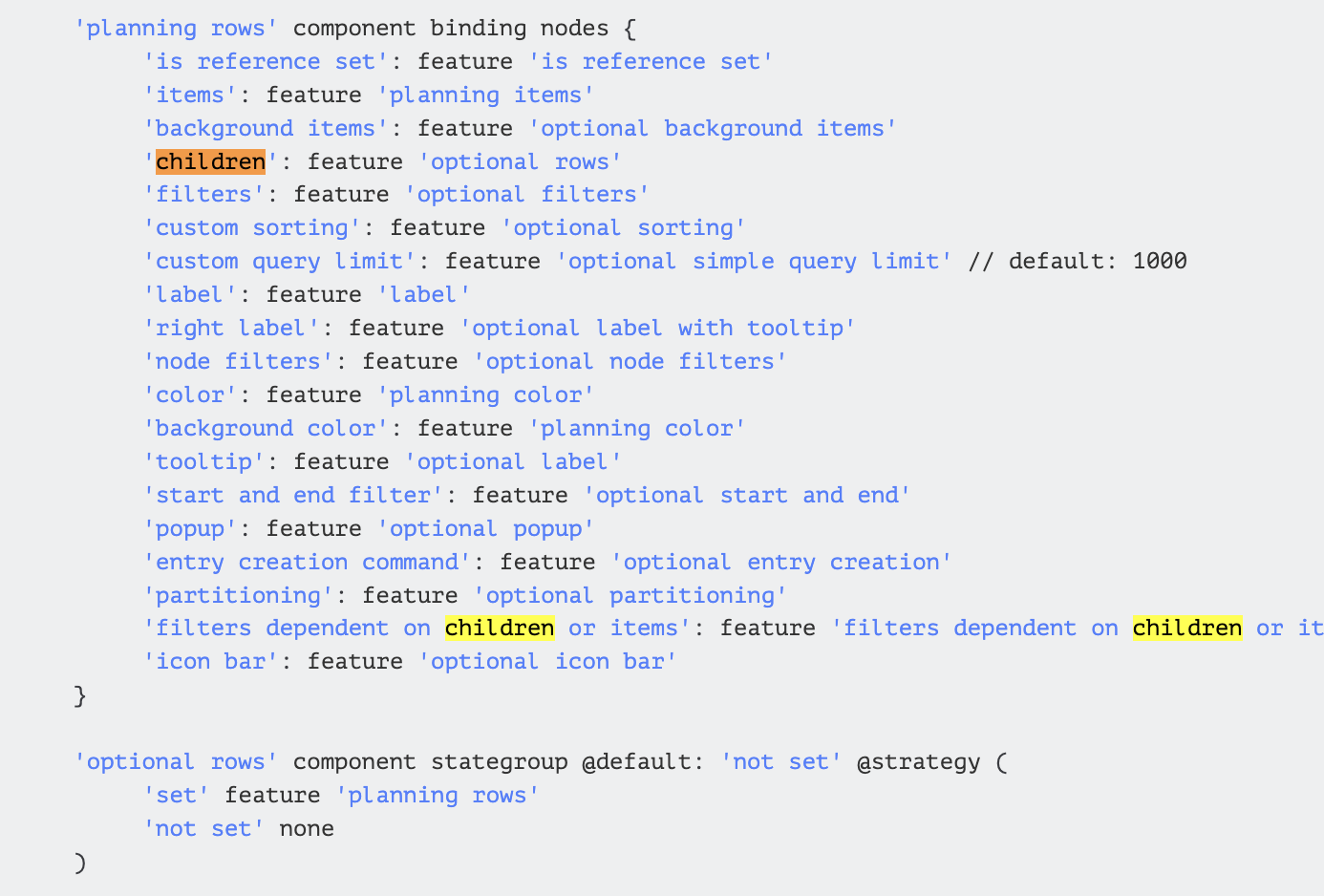
Regarding the annotations in yar20. Is it now possible to add children to children in planning rows?
Hi Martinique, yes, I think that’s the case. Please try. 
1 Like
Another question regarding optional rows. Currently, our client unfolds optionals row automatically once the planning screen is opened. Since our entire planning is relatively big, lots of data is loaded which creates a ‘slow’ feeling. Therefore, is it possible to set ‘Fold All’ as default?
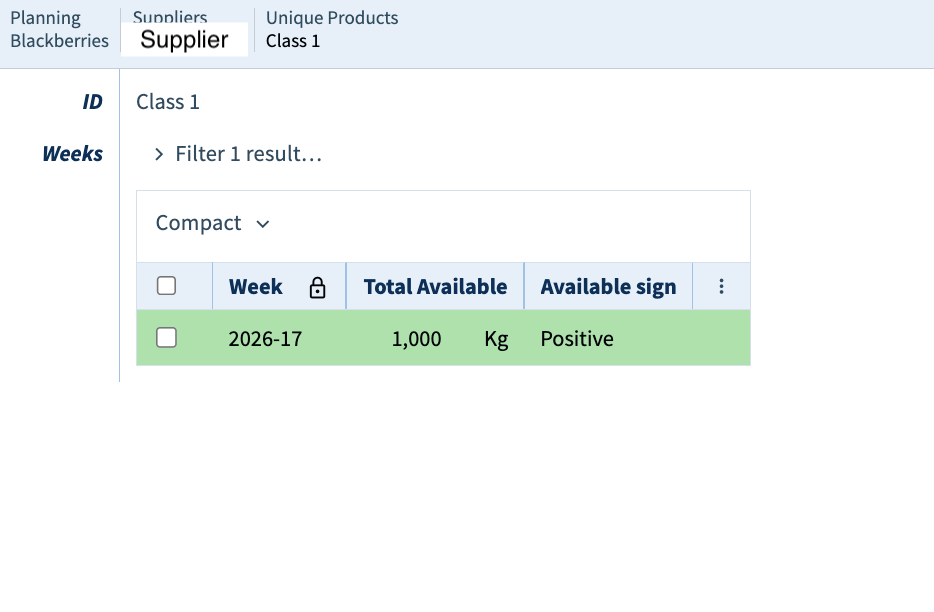
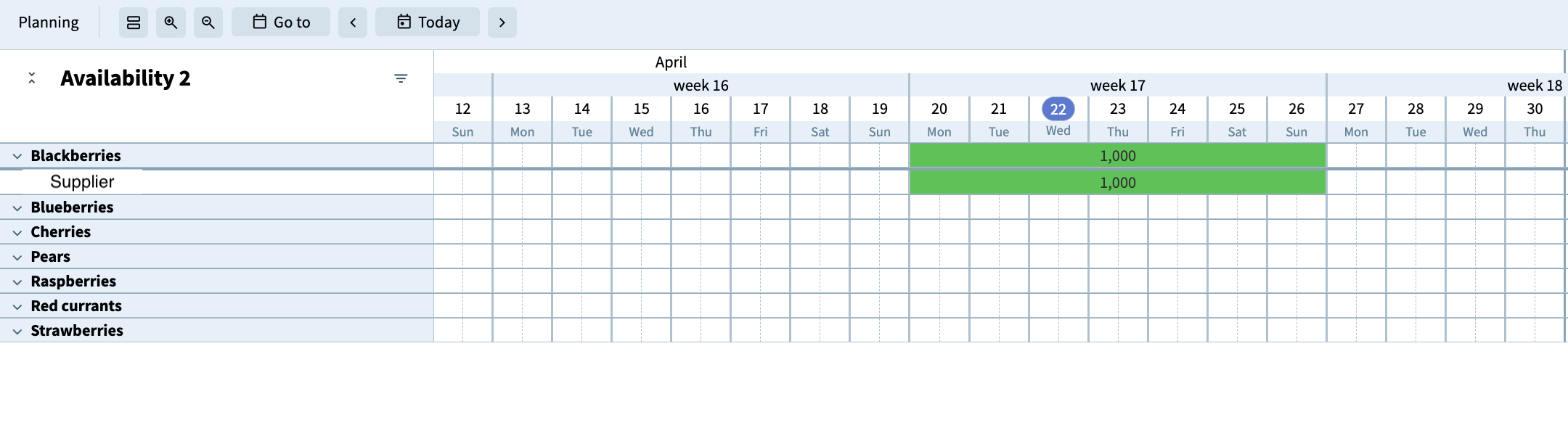
Below is part of a planning window in the annotations. I tried to include ‘children within children’ and expected there to be another unfold function underneath the supplier in the client. I also checked whether .'Planning'* .'Suppliers'* .'Unique Products'* .'Weeks'* contains any data, which it does. What am I missing?
(
    'label' = "Availability 2"
    'rows' = on .'Planning'* (
        'label' = [ .'Kind' ( ) ]
        'tooltip' = [ .'Kind' ( ) ]
        'children' = on .'Suppliers'* (
            'label' = [ .'Supplier' ( ) ]
            'children' = on .'Unique Products'* (
                'label' = [ .'ID' ( ) ]
                'items' = on .'Weeks'* (
                    'label' = [ .'Total Available' ( ) ]
                    'start and end' = (
                        'start' = >'Week'>'Week'>'Eerste dag'>'Dag van de maand'.'Datum' ( )
                        'end' = >'Week'>'Week'>'Laatste dag'>'Dag van de maand'.'Datum' ( )
                    )
Hi Martinique,
Unfortunately it is currently not possible to include children of child rows, because of a limitation on our end. It is however possible to apply a partitioning on the top level rows, which might help you out.
As for the unfolded default; we currently don’t have the option to have dynamic defaults. We are however still working on the performance, so hopefully, in later versions, this will be less of an issue.
1 Like
Thank you Lucas! The partitioning feature is integrated within our planning window and indeed gives a better overview.
Currently we use yar.20-frugal-permissions, when do you expect the children of child rows feature to be possible? It would significantly improve ouwer workflows and would be an amazing upgrade of the planning window.
Hi Martinique, Lucas is currently on holiday, so I’ll pitch in. I would like to have the feature you are talking about as well, for other purposes, so we’re both waiting for it. We’ll let you know as soon as it is available.
1 Like