We are trying to add access rights to our applications, but are having trouble with getting the syntax right. An example would be that we only want users who are admins or those who are not admins, but are of access type authority to see the elements in the OEM group. We have tried to do this multiple ways, one of which is below. Could you help us with the right syntax and possibly explain how the syntax here works?

Hi, if you want to give a specific Access Type access to this group, you can do two things:
-
Make sure you know which Access Type is the one that has access. You can do that by adding a reference to that Access Type. In the can-read: expression you can then check if the user access Type is ( > ‘Reference to Access Type’ )
-
Add stategroups to the access types that define the level. Actually, you could remove the Access Types altogether and add the stategroups directly on the users, so something like this:
’Access Type’: stategroup (
‘Consumer’ { }
‘Authority’ { }
‘OEM’ { }
// etc
)
Having the Access Types collection with stategroups defining certain rights is more flexible (application users can add more), but the stategroup directly under users is easier and enough for the example, I guess.
Thank you for your answer! So if I understand correctly, acces type could be a stategroup, but then new acces types can only be added in the application.alan file, not in the web application?
A different part of collections I do not quite get is how to add access rights to specific parts of a collection. It now works that an admin can see the entirety of the OEM group, but non admin can see nothing. I would like to allow them to see only some attributes, like weight. But weight does not appear in my code explicitely. It is only visible in the web application.
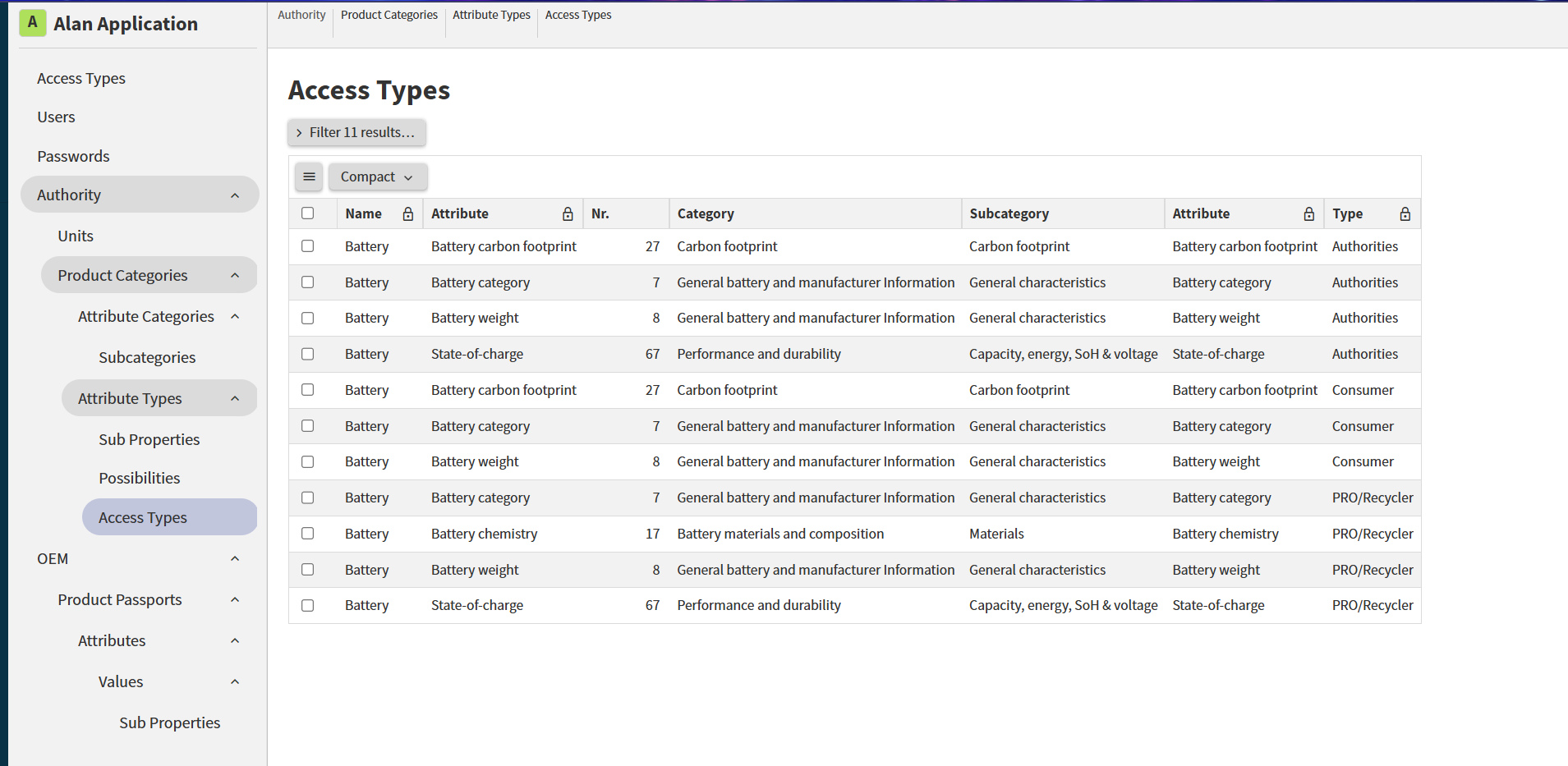
Is there a way to say it should look at attributes in the web application and connect it with access types as in the table above?
(And does it maybe have to do with dynamic behaviour as added here: can-update: >‘Attribute’.‘Behaviour’?‘Dynamic’ where ( user ))