In our code we can now add an attribute. This new attribute has a timestamp, but we can’t change the values of the new attribute. What we can change is the values of already existing attributes. We think it is, because of the ‘initial’ part of the code at timestamp. How can we code that, when adding a new attribute the value is also editable? If you are logged in as a user, this is possible.
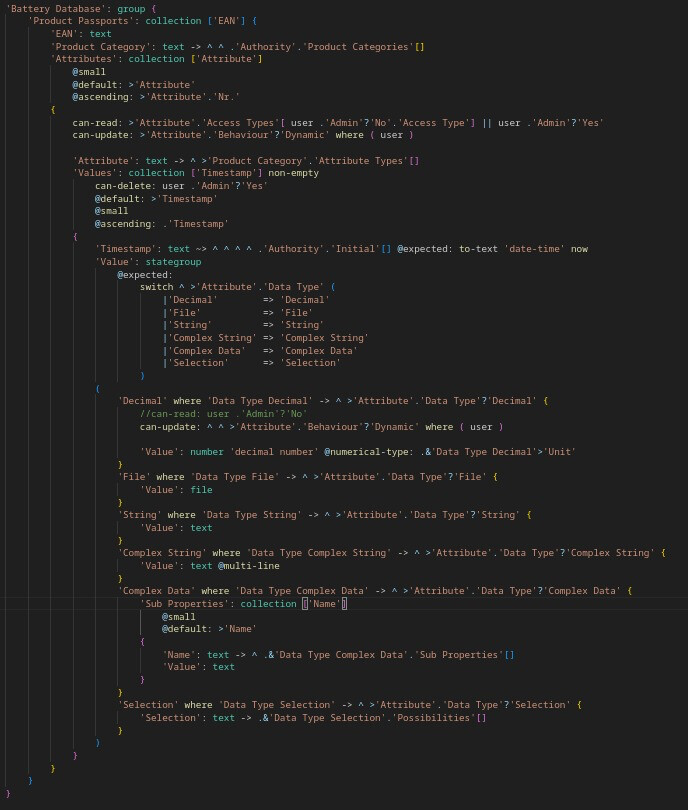
Hi, you have to keep in mind that the update rights are hereditary. In this case, that means that the update rights for Values are the same as the update rights of the Attribute (its parent). These are:
can-update: > ‘Attribute’ . ‘Behaviour’?’Dynamic’ where ( user )
So, the Attribute needs to have a ‘Dynamic’ Behaviour & you need to be a logged in user.
This is meant to enforce that values for Static Attributes is only entered once and never changed. So the structural attributes with which the battery was build like lithium content, production date, etc. Values for a Dynamic Attribute can be added and changed later on, but not deleted (unless by an admin).
If you have specific behaviour you would some explanation for, please let us know which steps you take and add appropriate screenshots.
Hi Rick, Thank you for you response. For the above code we get this on our interface. Here an Recycler can add state-of-charge values. Here we want to code that the existing values can’t be changed, but the added value can be changed. Now it is the other way, around that the Recycler can change existing values, but not the added values.
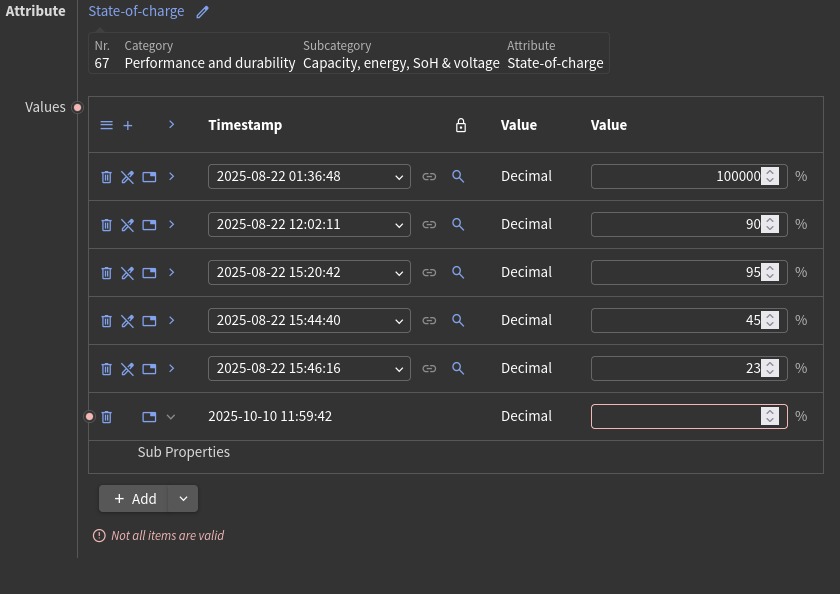
The other screenshot shows the Admins view. Here the admin can still add a new value for state-of-charge. He can add/change a new value. And he can change the existing value.
So what we are trying to code is that Recyclers can add/change the value of a new value, which is the same as an admin. But can’t change the existing values.
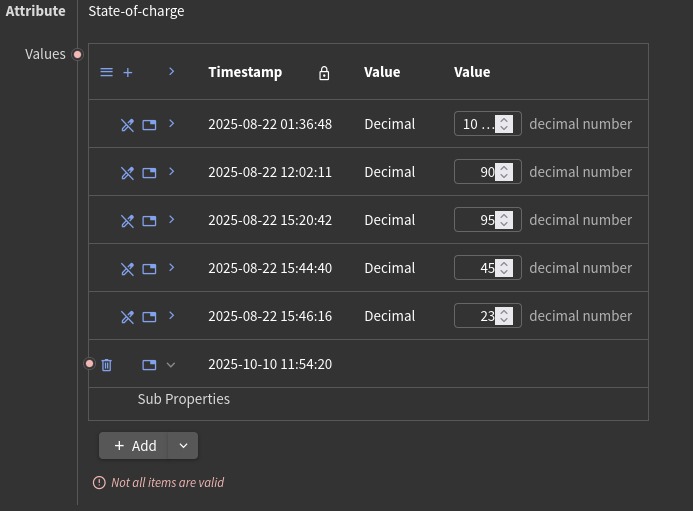
Above the Recyclers view
In an extremely simplified form, this should achieve what you want to do:
'Items': collection ['Name']
	can-create: user
{
	can-update: user .'Admin'?'Yes'

	'Name': text
	'Property': text
}
With this combination of can-create and can-update:
- Regular users can create new items, but not update existing items.
- Admin users can both create new items and update existing items.
You can extend this to more complex permission models and rules, but the basic idea remains the same.
1 Like
Thank you for your response!
Now I have made an ‘OEM’ collection. For the create function I want to say that:
If the logged in user is in the ‘OEM’ collection → then they can create a ‘Product Passport’. But I cannot seem to make the structure/hierarchy right with the last line of code. Do you have any suggestions?

Yes, please check this earlier topic for a suggestion 
Thank you for your response. I tried doing this:

But I still get an error saying:
unexpected keyword `[` while making a decision for stategroup ‘has steps’ of !‘node path tail’. Options: …
I don’t know what I’m doing wrong  Could you help me?
You are using the > syntax to follow a reference, which already leads to a single entry from the ‘Access Types’ collection. So there is no need for a lookup (containment check) anymore, you can directly compare the 'Access Types OEM' with the 'Access Type' of the user, like this:
'Battery Database': group {
	'Access Types OEM': text -> ^ .'Access Types G'.'Access Types'[]
	'Product Passports': collection ['EAN']
		can-create: >'Access Types OEM' is ( user .'Admin'?'No'>'Access Type' )
The previous example allows access to one specific access type. If you want to make it more dynamic and be able to configure multiple allowed access types, you can convert it to a collection and use the lookup construction:
'Battery Database': group {
	'Access Types OEM': collection ['Access Type'] {
		'Access Type': text -> ^ ^ .'Access Types G'.'Access Types'[]
	}
	'Product Passports': collection ['EAN']
		can-create: .'Access Types OEM'[ user .'Admin'?'No'.'Access Type']
This validates that the user’s 'Access Type' is included in the list of chosen 'Access Types OEM'.
1 Like